← All comparisons

Videoblitz vs OpusClip for AI video workflows

Clip long videos, refine every scene, generate supporting media, and publish from one workspace. See how Videoblitz compares with OpusClip.

See where the products overlap, where they differ, and which workflow may fit you best.

One long-form podcast recording transforming into several vertical social clips

Same basics. More ways to create.

Videoblitz and OpusClip both support long-video repurposing, captions, editing, generated supporting media, and publishing workflows. Videoblitz Creator is $27.95 per month with 6 social media accounts; OpusClip Pro is $29 per month with 6 social account connections, making Videoblitz Creator $1.05 less per month. OpusClip Pro includes a social scheduler; Videoblitz Creator does not. Videoblitz Pro is $39.95 per month with 20 connected social accounts, the scheduler, and reusable Swarms.

$27.95Videoblitz Creator · 6 social media accounts
$29OpusClip Pro · 6 social account connections
20 accountsVideoblitz Pro · scheduler and reusable Swarms

Videoblitz advantages

Named multi-model generation alongside clipping

Videoblitz exposes named video and image model choices in the same workspace as source-video clipping. Teams can choose Veo 3.1 or Seedance 2.0 for video and Nano Banana 2 or Seedream 5.0 Pro for images rather than treating generated media only as an automatic B-roll step.

Colorful aircraft artwork generated inside the Videoblitz AI generation workflow

Generated and imported media share the project workflow

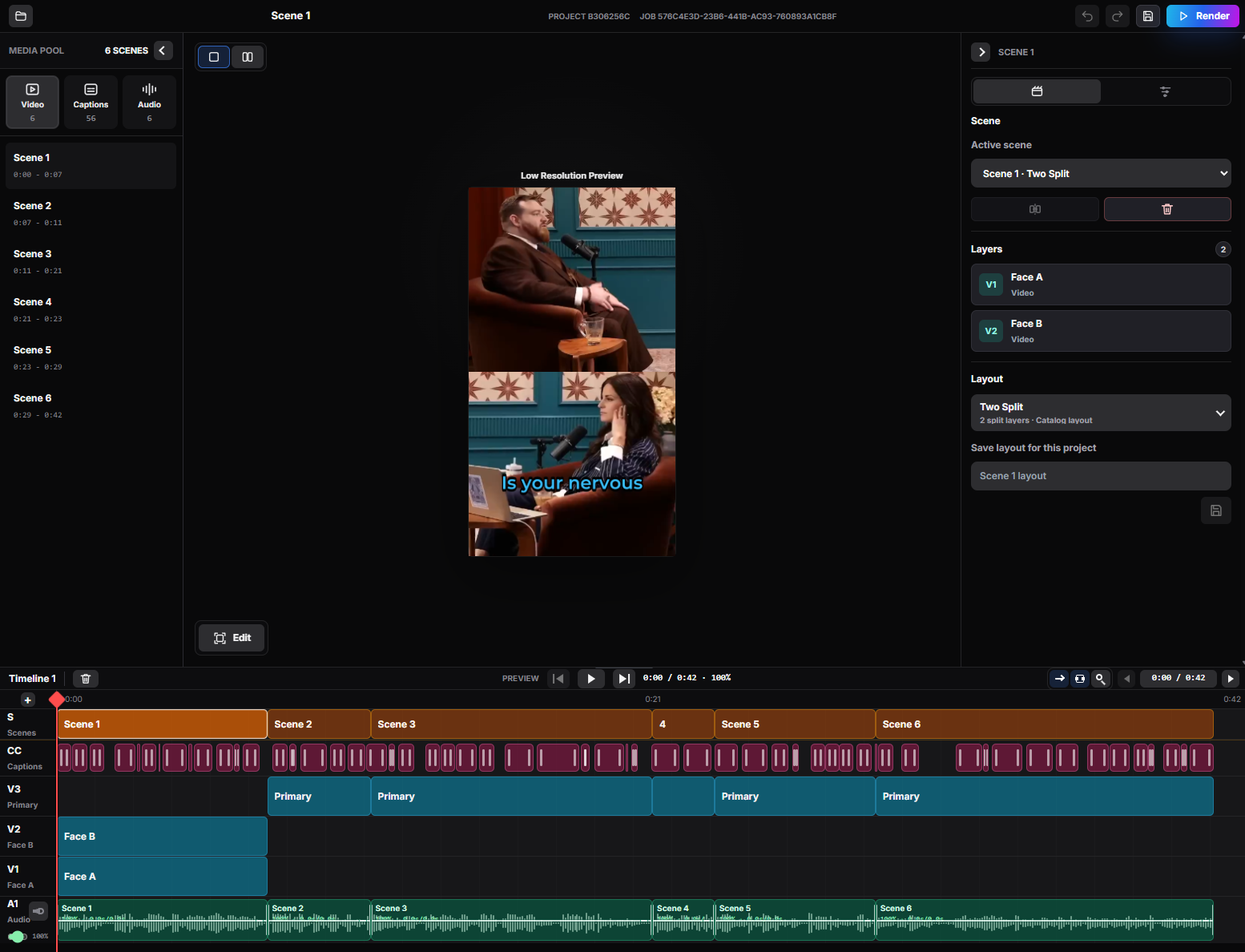
Generated clips and stills land in the Videoblitz project library. They can be opened in BlitzEdit as scenes or layers, combined with recorded footage, captioned, revised, and rendered through the same project workflow.

BlitzEdit workspace combining scenes, captions, layouts, and recorded footage

Assets remain available for reuse

Videoblitz uses an account media library for generated and uploaded assets. This supports recurring creative work without requiring every useful source or generated result to be reintroduced for each project.

Videoblitz project media library with reusable source assets

Monthly social scale and reusable Swarms

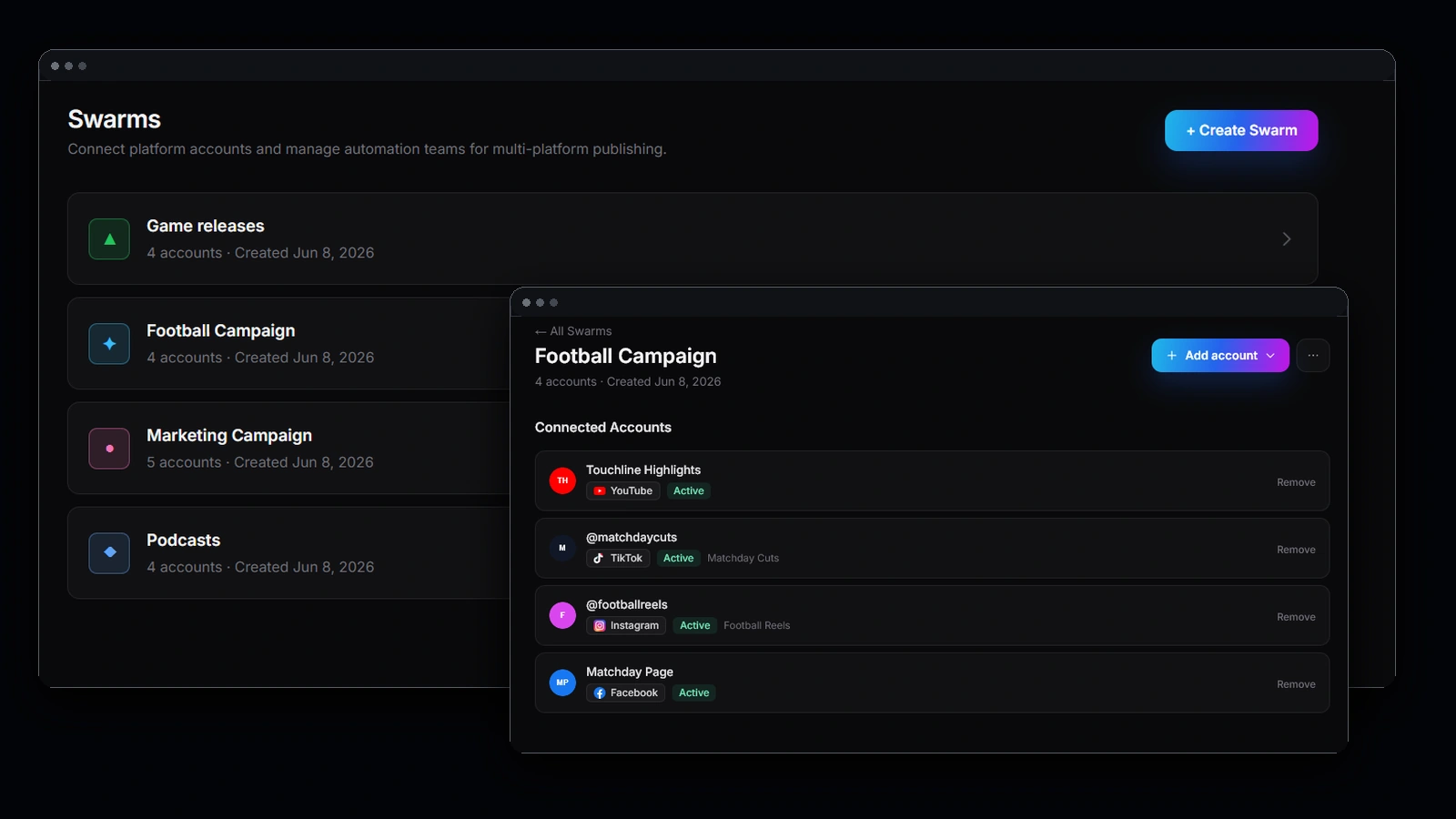
Videoblitz Creator is $27.95 per month for 6 social accounts, while OpusClip Pro is $29 for 6 connections. OpusClip Pro includes scheduling; Videoblitz Creator does not. For larger teams, Videoblitz Pro is $39.95 with scheduling, 20 connected accounts, and reusable Swarms.

Blitz Social publishing calendar with reusable multi-account Swarms

Videoblitz vs OpusClip

See what each product offers and how the workflows differ.

Swipe sideways to compare →

Capability comparison between Videoblitz and OpusClip
Capability Videoblitz OpusClip
AI-assisted long-video clipping Included

Turns long-form source video into short-form clip options with AI Clipping.

Included

ClipAnything turns long-form video into short clips.

Automatic and animated captions Included

Generates captions during clipping, with detailed caption review in BlitzEdit.

Included

Adds automatic animated captions to generated clips.

Automatic reframing for social formats Included

Supports automatic social layouts, reframing, and hands-on crop review.

Included

AI Reframe adapts clips to social formats.

Clip editing and fine-tuning Included

BlitzEdit provides crop, caption, timing, audio, layout, scene, and revision controls.

Included

Includes an editor for refining generated clips.

Social scheduling and publishing workflows Included

Blitz Social supports publishing workflows; the scheduler is included with Videoblitz Pro.

Included

OpusClip Pro includes a social scheduler and 6 account connections.

AI-generated supporting media Included

Offers named text-to-image and text-to-video models inside the same workspace.

Included

AI B-Roll adds supporting media to clips.

Named image and video generation models Videoblitz advantage

Choose Veo 3.1 or Seedance 2.0 for video and Nano Banana 2 or Seedream 5.0 Pro for images.

Different setup

OpusClip focuses on AI B-Roll instead of offering the same named model menu.

Generated media and imported footage in one editing workflow Videoblitz advantage

Generated clips, stills, and recorded footage share the project library and BlitzEdit workflow.

Different setup

OpusClip uses a different workflow for generated media and editing.

Account asset storage and reuse Videoblitz advantage

Generated and uploaded media remain in an account library for reuse across later projects.

Different setup

OpusClip uses a different setup for storing and reusing media.

Monthly social-account scale and reusable Swarms Videoblitz advantage

Creator: $27.95 per month for 6 social media accounts. Pro: $39.95 per month for the scheduler, 20 connected social accounts, and reusable Swarms.

Different setup

Pro: $29 per month for 6 social account connections and a social scheduler. Business/Enterprise plans can support more accounts.

Choose Videoblitz when…

  • You want named text-to-video and text-to-image model choices alongside source-video clipping.
  • Generated media and imported footage need to be combined and revised in the same project workflow.
  • Your team expects to store and reuse uploaded or generated assets across projects.
  • You want 6 social accounts for $27.95, or 20 accounts, scheduling, and reusable Swarms for $39.95.

FAQ

Do Videoblitz and OpusClip both create short clips from long videos?

Yes. Both products turn long videos into short clips.

Does OpusClip offer editing, captions, reframing, AI B-roll, and scheduling?

Yes. OpusClip offers an editor, animated captions, AI Reframe, AI B-Roll, and a social scheduler.

What makes Videoblitz different?

Videoblitz brings clipping, named image and video models, detailed editing, reusable media, and social publishing into one workspace.

How do the monthly prices compare?

Videoblitz Creator is $27.95 per month for 6 social accounts. OpusClip Pro is $29 for 6 connections and includes scheduling. Videoblitz Pro is $39.95 with scheduling, 20 connected accounts, and reusable Swarms.

Turn one video into your next campaign.

Start clipping, editing, generating, and publishing with Videoblitz.